


Nicegram: AI x Dual Telegram
4.5716.00 Reviews
App Specs
- Version
- 1.57.0
- Updated On
- License
- Free
- Downloads
- 5,000,000+
- Developer
- Appvillis
- Categories
- Social
- Platform
- Android
Screenshots
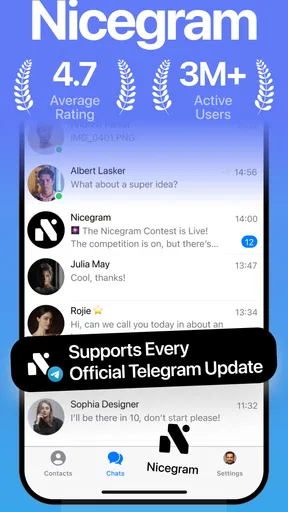
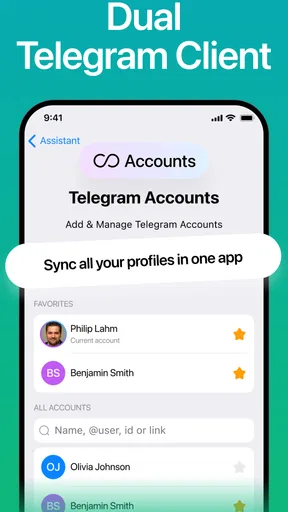
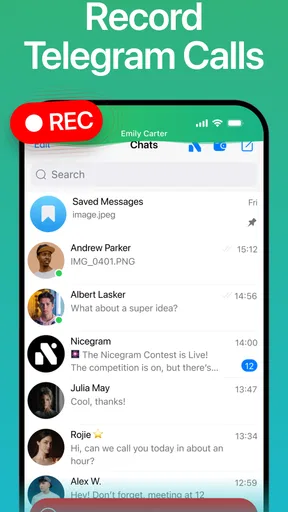
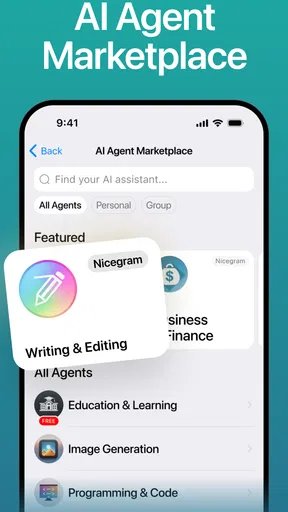
 Analysis by AppCompare
If you've ever found yourself juggling multiple Telegram accounts, or dreaming of a more customized Telegram experience, then Nicegram: AI x Dual Telegram might just be the app you've been waiting for. This nifty tool not only allows you to manage different accounts seamlessly, but it also comes packed with AI features that aim to enhance your chatting experience. So, let's dive into what makes this app a standout choice for Telegram users.
Who benefits from a different Telegram client?
I see the clearest case for Nicegram among people who already rely on Telegram and want a more tailored way to use it, rather than among people looking for a new social network. Appvillis develops this free social app, which is rated Mature 17+. It has an average rating of 4.5 from around 64,000 ratings and more than 5 million installs, so it has found a substantial audience. Those figures tell me it is established, but they do not replace the more useful question: do its extra controls fit the way you actually use Telegram?
If you keep separate work and personal accounts, the appeal is easy to understand. A person who handles project chats during the day and family conversations in the evening can switch contexts without repeatedly signing out and back in. The benefit is practical rather than flashy: fewer interruptions and less chance of replying from the wrong account. If you only use one Telegram account and are happy with its standard layout, however, adding another client may not improve your routine enough to justify changing.
Nicegram is most convincing when you can name the small annoyances you want to solve. Maybe your chat list feels crowded, you want a more personal interface, or you regularly move between accounts. I would not install it simply because “AI” sounds impressive. The useful test is whether its account handling and customization address a real habit you already have.
Features That Make Nicegram Shine
First off, let's talk about the dual account feature. Ever feel like you're living a double life with your social media accounts? Well, Nicegram has got you covered. With its dual account capability, you can easily switch between your work and personal accounts without the hassle of logging in and out. This is a game changer for those who need to keep their lives organized and separate.
For a realistic everyday example, imagine checking a work group while commuting, then switching to a personal account before answering a friend. Keeping those conversations in their own contexts can make it easier to notice which audience you are addressing. I would still pause before sending anything important: account separation helps organize use, but it does not remove the ordinary risk of choosing the wrong conversation or account when moving quickly.
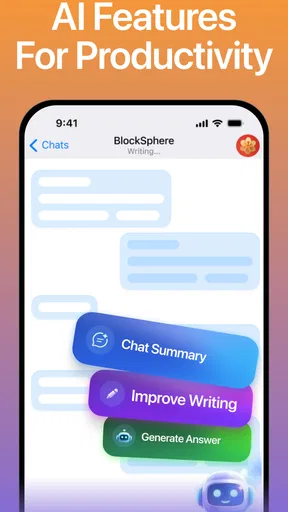
Now, onto the AI magic. Nicegram integrates AI to enhance your messaging experience. Whether it's suggesting relevant stickers or providing smart replies, the AI is like your personal assistant that makes communication smoother and more enjoyable. It's like having a little helper that's always ready to lend a hand, or in this case, a suggestion.
Worth Reading Before You Choose

Flipboard Shows What News Apps Must Do Beyond the Feed

Switching to Android Auto Means Rethinking Your Driving Routine

Google Calendar Makes a Crowded Week Easier to Manage

Ludo King Makes the Most of the Minutes Between Plans

Baby Panda World Brings Quick Play to Modern Phones, but Its Game Library Feels Busy

ESPN’s Live Game View Makes Following Close Games Easier
My practical advice is to treat an AI suggestion as a draft, not as your voice. A suggested reply may save time on a routine exchange, but it can miss the relationship, context, or tone that matters in a sensitive conversation. For anything involving private details, work decisions, or an emotionally charged topic, I would compose and check the message myself. That simple habit preserves the convenience without handing over judgment to an automated prompt.
Customization Galore
For those who love to tweak and customize, Nicegram offers a ton of options. You can personalize your chat backgrounds, set custom notification sounds, and even tweak the interface to suit your style. It's all about making the app feel like it's truly yours. The level of customization available is impressive and certainly adds a personal touch to your messaging experience.
Customization has a useful side beyond appearance: it can help make important chats easier to recognize at a glance. I would start with one or two changes that solve a specific problem—such as choosing a distinct sound for a conversation that needs timely attention—rather than adjusting everything at once. If you alter several visual and notification settings together, it can become harder to tell which change made the app more comfortable, and a distinctive alert is only helpful if it does not become another interruption.
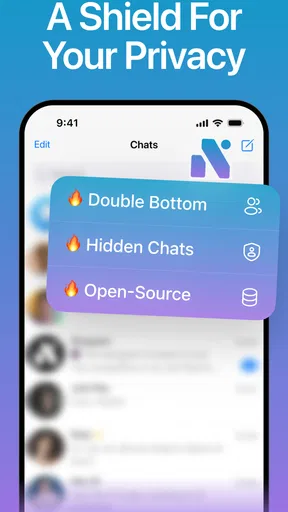
Another cool feature is the ability to hide chats. Whether you want to keep sensitive information under wraps or just declutter your chat list, this option keeps things tidy and private. It's easy to set up, and once you get the hang of it, you'll wonder how you ever managed without it.
I would use chat hiding thoughtfully. It can reduce visual clutter or keep a conversation out of immediate view when someone glances at the screen, but hiding a chat is not the same thing as establishing a complete privacy boundary. Before using it for sensitive conversations, consider who can access your unlocked device and whether notifications might still reveal message details. The strongest everyday approach is to combine a tidy chat list with careful device habits, rather than assuming that one in-app choice solves every privacy concern.
Privacy and Security
In this day and age, privacy is a big deal, and Nicegram doesn't skimp on this front. The app is built on Telegram's secure platform, which means you get all the encryption and privacy features you know and love. Plus, with added security options, you can be sure your chats are as private as you want them to be. It's reassuring to know that your data is in safe hands.
For a careful reader, trust is not just a reassuring label; it is also about understanding which account is active, what appears on screen, and how each optional tool fits into a conversation. I would check the visible account and chat before sending a message, especially when switching between personal and work use. When using an AI-assisted feature, I would also avoid treating it as a private notebook: share only what is appropriate for the task and review any suggested wording before sending it.
Those habits are useful no matter which Telegram client you choose. Nicegram’s extra tools may make the experience more flexible, but flexibility also means that the user has more choices to manage. If you prefer to keep your messaging setup as simple as possible, the standard Telegram app may be the calmer option. If you want multiple accounts and more control over presentation, Nicegram’s added choices may be worth exploring at your own pace.
Performance and Usability
When it comes to performance, Nicegram holds its own. The app runs smoothly, with quick load times and a user-friendly interface. Navigating through the app is intuitive, even for those who might not be tech-savvy. The layout is clean, and everything is right where you'd expect it to be, making for a stress-free user experience.
One trade-off with a more customizable client is that setup can take attention. Rather than trying every available adjustment at once, I would first add the accounts you genuinely need, then change the interface only where the default experience gets in your way. This keeps it easier to recognize whether the app is actually helping. If you find yourself spending more time tuning settings than messaging, that is a good sign to simplify or return to the familiar default client.
One of the best parts? It's available for both Android and iOS, so no matter what device you're on, you can enjoy all the features Nicegram has to offer. Downloading and setting up the app is a breeze, and you'll be up and running in no time.
The current version is 1.54.2, and the minimum Android requirement is 7.0. Nicegram is free to install, with in-app purchases ranging from $1.99 to $89.99 per item. I would treat the free download as a chance to decide whether its workflow suits me, then look carefully at any purchase option before paying. A paid item is worth considering only if it supports a feature or use pattern that matters to you; the presence of optional purchases does not by itself make the app a better fit.
Choosing between Nicegram and the standard app
The comparison I would make is not “which app is best for everyone?” but “which one makes my Telegram routine easier?” The standard Telegram app is the straightforward choice if you want to keep your setup familiar and do not need the particular extras described here. Nicegram is the more appealing option if multiple accounts, interface adjustments, chat hiding, or AI-assisted messaging would solve recurring friction in your day.
That distinction matters for people who value consistency. If friends, colleagues, or family already know how to reach you on Telegram, a different client can be a way to change how you manage conversations without asking those contacts to move elsewhere. On the other hand, if your priority is using the simplest familiar client, or you would rather avoid extra choices and optional purchases, there is no reason to switch just for novelty.
Nicegram is also a poor fit if you expect AI to write thoughtful messages for you without review, or if you assume that hiding a chat makes sensitive information invisible in every situation. I would recommend it to a Telegram user who wants more control and is willing to pay attention to account selection and privacy habits. For someone who wants a minimal messaging experience, staying with the standard app is a sensible decision.
Final Thoughts
So, is Nicegram: AI x Dual Telegram worth a try? Absolutely. With its range of features designed to enhance, customize, and secure your messaging experience, it stands out as a robust alternative to the standard Telegram app. Whether you need to manage multiple accounts or just want a more personalized chat experience, Nicegram delivers on all fronts.
Overall, if you're looking to up your Telegram game, give Nicegram a shot. It's like having a souped-up version of Telegram with all the bells and whistles you didn't know you needed. Plus, who doesn't love an app that makes life a little more convenient?
So go ahead, download Nicegram, and let it give your messaging a fresh, new twist. Your digital communication just got a whole lot more interesting!
My cautious verdict is that Nicegram is worth trying when its specific account and customization tools match a real need, not simply because it promises a more feature-rich experience. I would begin with a small change, test the account-switching routine, and keep sensitive messages under my own review. That way, the app’s flexibility remains useful rather than becoming another layer to manage.
Pros
- Seamless integration with Telegram.
- AI-driven chat enhancements.
- Dual account management.
- Customizable themes and layouts.
- Advanced privacy settings.
Cons
- Occasional glitch with notifications.
- Limited AI features on free version.
- Requires stable internet connection.
- Some features need a subscription.
- Complex setup for new users.
FAQs for Nicegram: AI x Dual Telegram
What is Nicegram: AI x Dual Telegram?
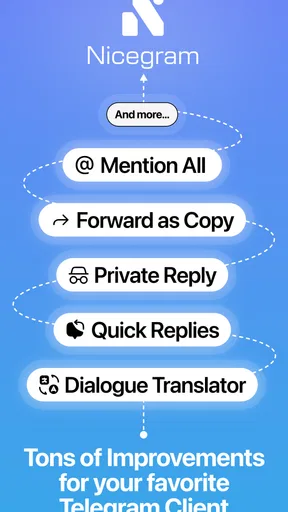
Nicegram: AI x Dual Telegram is a modified version of the popular messaging app Telegram. It offers enhanced features such as dual account support, AI-powered chat enhancements, and customizable user interface options. It's designed for users who need more flexibility and functionality than the standard Telegram app provides.
Is Nicegram safe to use?
Yes, Nicegram is generally considered safe to use, as it is built on Telegram's open-source platform, which is known for its robust security features. However, as with any third-party app, it's important to download it from official sources and regularly update it to ensure you have the latest security patches.
Can I use Nicegram alongside the official Telegram app?
Yes, one of Nicegram's key features is the ability to manage multiple accounts, including using it alongside the official Telegram app. This makes it ideal for users who need to separate personal and professional communications or manage multiple identities easily.
What are the AI features in Nicegram?
Nicegram integrates AI to enhance user experience with features like smart chat responses, message translation, and personalized recommendations. These AI tools aim to make communication more efficient and engaging by learning from user interactions and adapting to their preferences.
How does Nicegram handle privacy and data security?
Nicegram prioritizes user privacy by leveraging Telegram’s secure infrastructure. It uses end-to-end encryption for messages, ensuring that your conversations remain private. Users are encouraged to review privacy settings within the app to tailor their security preferences as needed.


